 Repair POS Canada
Features
What Repair POS Canada does, area by area
Every screen shown here is the real product, photographed on our demo store. Parts sold as an option or from a given edition are marked.
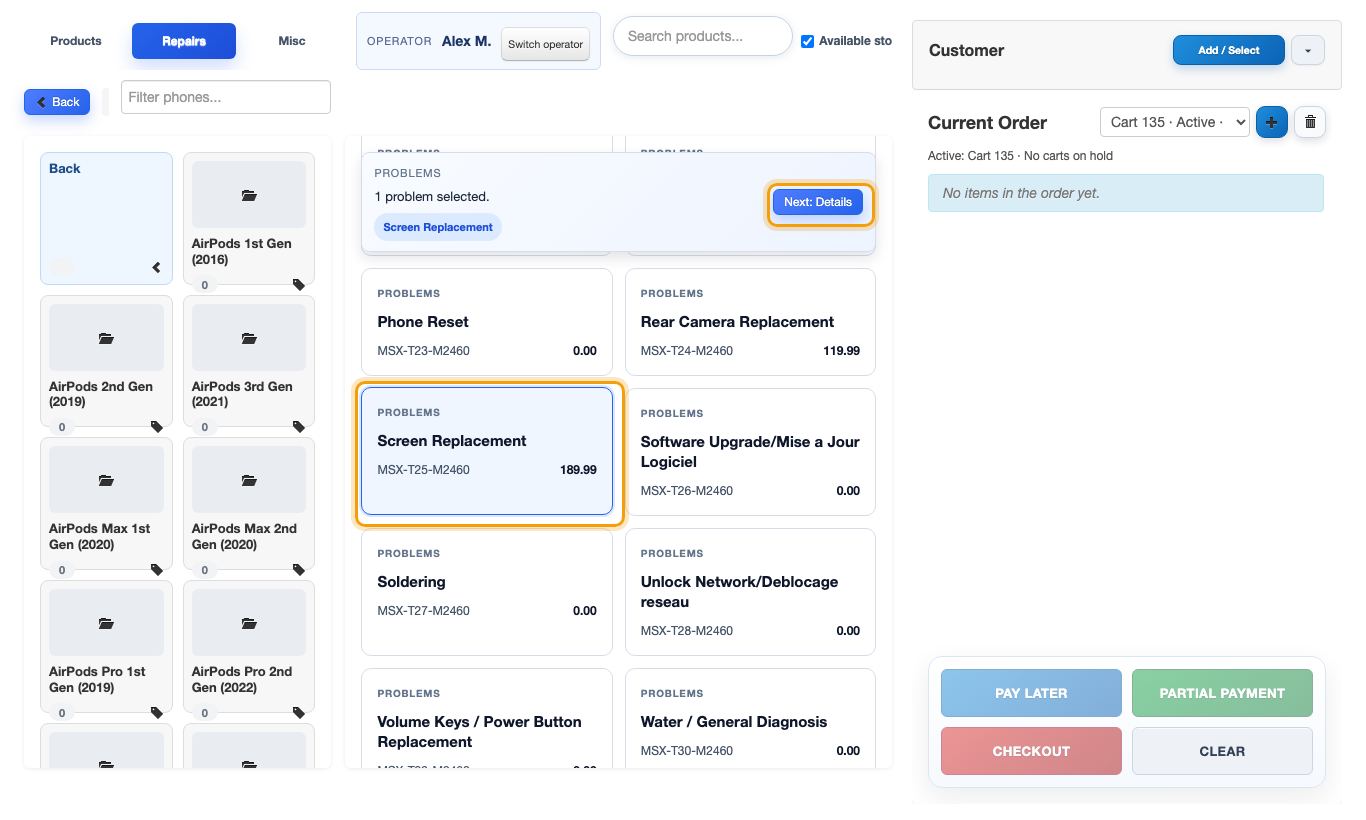
Repairs
From drop-off to pick-up, the ticket follows the device.
- Open a ticket by device, brand, model and problem, with the price of each repair
- Checklist ticked and consent signed in front of the customer, at drop-off and at pick-up
- Parts reserved from the store's stock and labour added to the price
- Deposits before you order a part, taken off what is left to pay
- One repair queue with statuses, technician and due date
- A device that comes back gets a follow-up ticket linked to the first one
- Your own list of repairs and prices, model by model, store by store
Point of sale
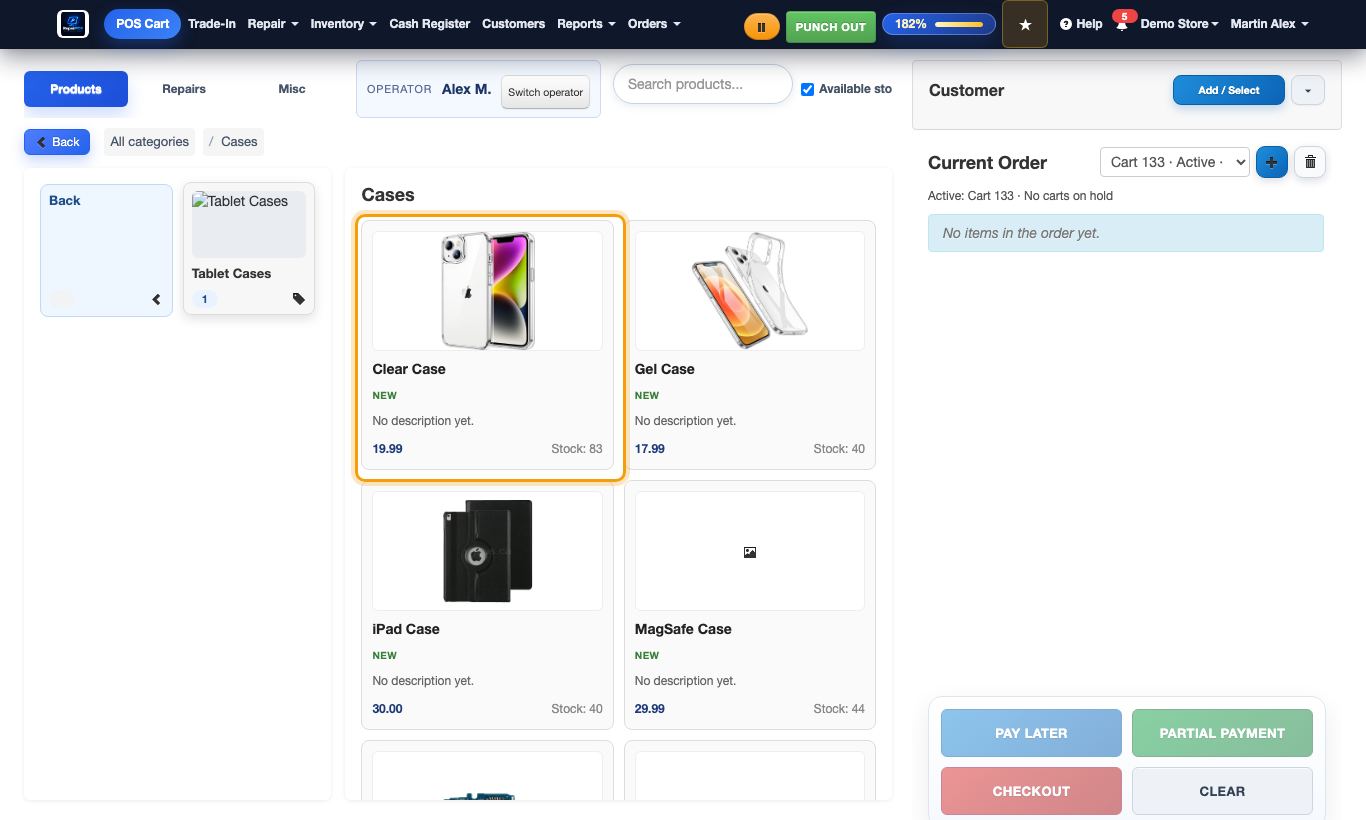
A register made for accessories, phones and repairs on the same receipt.
- Sell by category, by search or by barcode
- Phones sold by IMEI, in the customer's name
- Customer files with their repairs, devices and invoices
- Discounts on a line or on the whole order, with the taxes recalculated
- Orders put on hold and picked up again on any register of the store
- Returns and refunds from the original sale, with a returns report
- Opening cash, cash checks during the day and closing with the envelope
Inventory and stock ledger
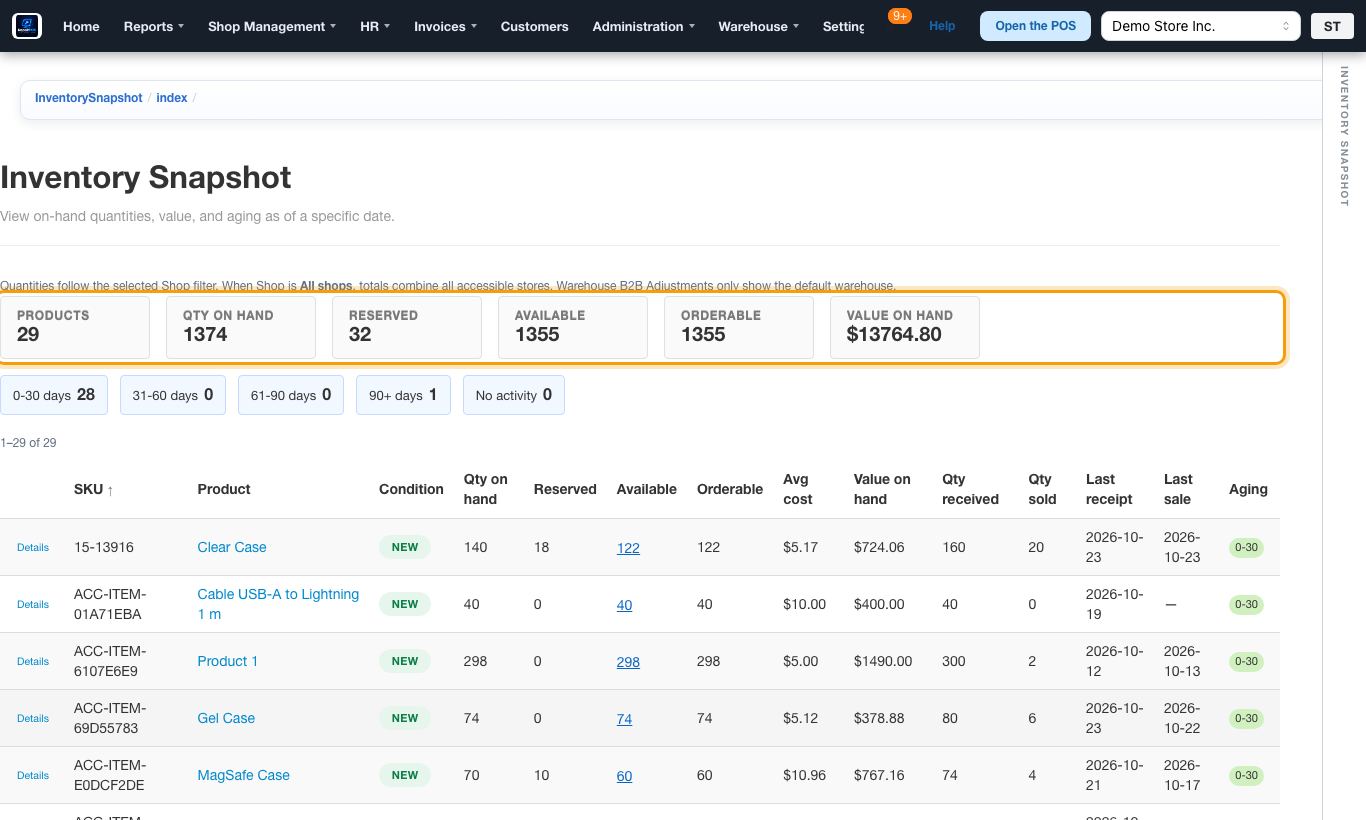
Every unit that enters or leaves a store writes a line. The stock is what the lines add up to.
- The stock ledger: every movement, with the document behind it
- Stock and value at any date, with the age of the stock and min/max alerts
- Counts and corrections, each with a reason
- Follow one phone by its IMEI: where it came from, what it cost, where it went
- Supplier deliveries received line by line into the store's stock
- Dead stock: what stopped selling, the money in it, and what to do Option
- Accessory wall compared with the phones your customers carry Option
- Supplier orders imported from the vendor's site instead of typed Option
Trade-ins Option
Buy phones from your customers at the counter, properly.
- The phone recorded by IMEI, model, condition and price
- The customer confirms and signs on a tablet in the store
- The customer is paid from the register
- The phone goes into your stock as used
- What each trade-in cost, and what it made once sold again
Multi-store and warehouse Multi-store edition
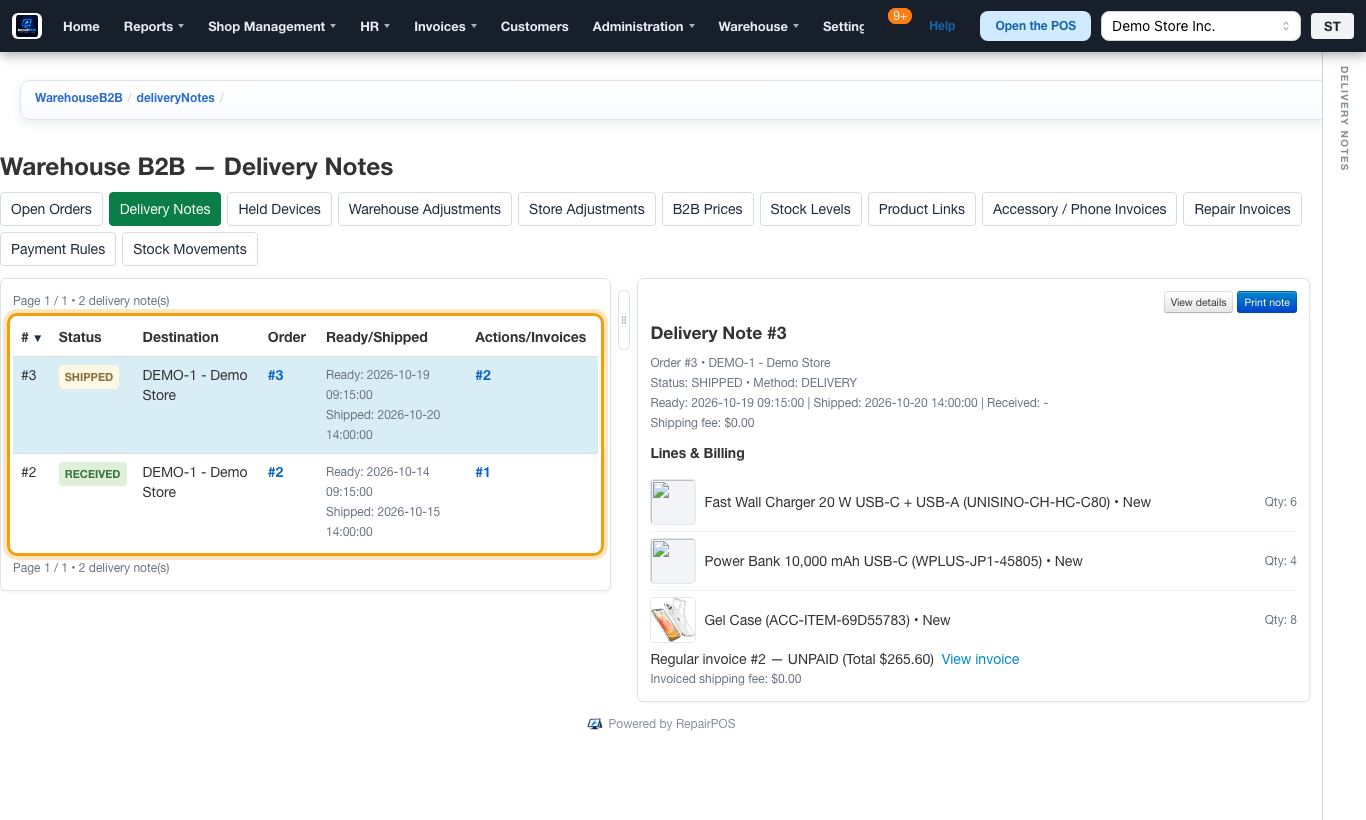
Run several stores as one company, supplied by your own warehouse if you have one.
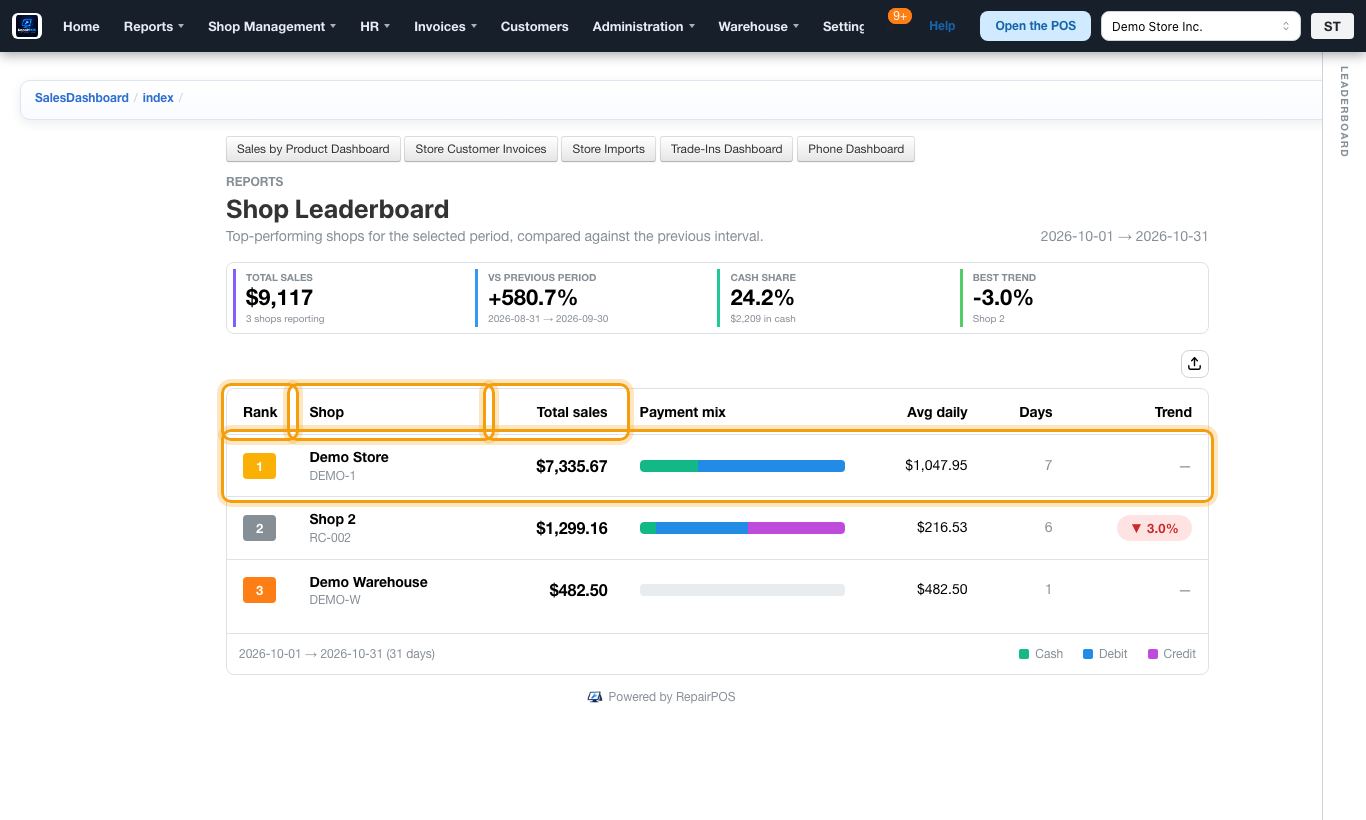
- Stores ranked and compared over any dates
- An invoice rung up in the wrong store moved to the right one
- Each manager sees the stores and screens you allow
- Stores order from the warehouse's stock Warehouse edition
- Delivery notes from the warehouse to the store, received against the note Warehouse edition
- What each store pays the warehouse, and what it still owes Warehouse edition
- Purchase orders to suppliers, received at the warehouse Warehouse edition
- Defective products sent back by RMA and sorted at the warehouse Warehouse edition
Reports
The figures you check every day, down to the invoice behind them.
- Today's sales, every transaction, and which stores opened and closed
- Sales by product with cost and profit
- Profit on phones at the price really charged, handset by handset
- Repair parts received, used, lost and left on the shelf
- Your own dashboard with the figures you choose
Team
Who works where, with which rights, and for how many hours.
- Employees with a role and a PIN in each store
- Punch in, breaks and punch out, with the hours worked
- Monthly sales targets and the bonuses they earn
Help guides
Your team learns on the screens they use, without a manual to keep up to date.
90 illustrated guides built into the POS and POS admin
- A picture of the real screen for every step
- Every guide in English and French
- Guides put in order for a first day, a month-end or a new store
- Guides updated with the screens they describe
Ready to see it with your own stores?
Register in two minutes. A person reads every registration and writes back to you.